logo image
  • Home
  • Study Guides
    • New Testament
    • Old Testament
  • Downloading Instructions

Downloading Instructions for Desktop, Laptop, and Mobile Devices

On a Mac Computer (Laptop or Desktop)
When using the Safari browser on a Mac, the study guide will often automatically open within the browser. To save the study guide to your computer you will see these icons on the bottom of the screen. The PDF will be saved to your computer by pressing the icon on the far right (down arrow).
Click to Enlarge
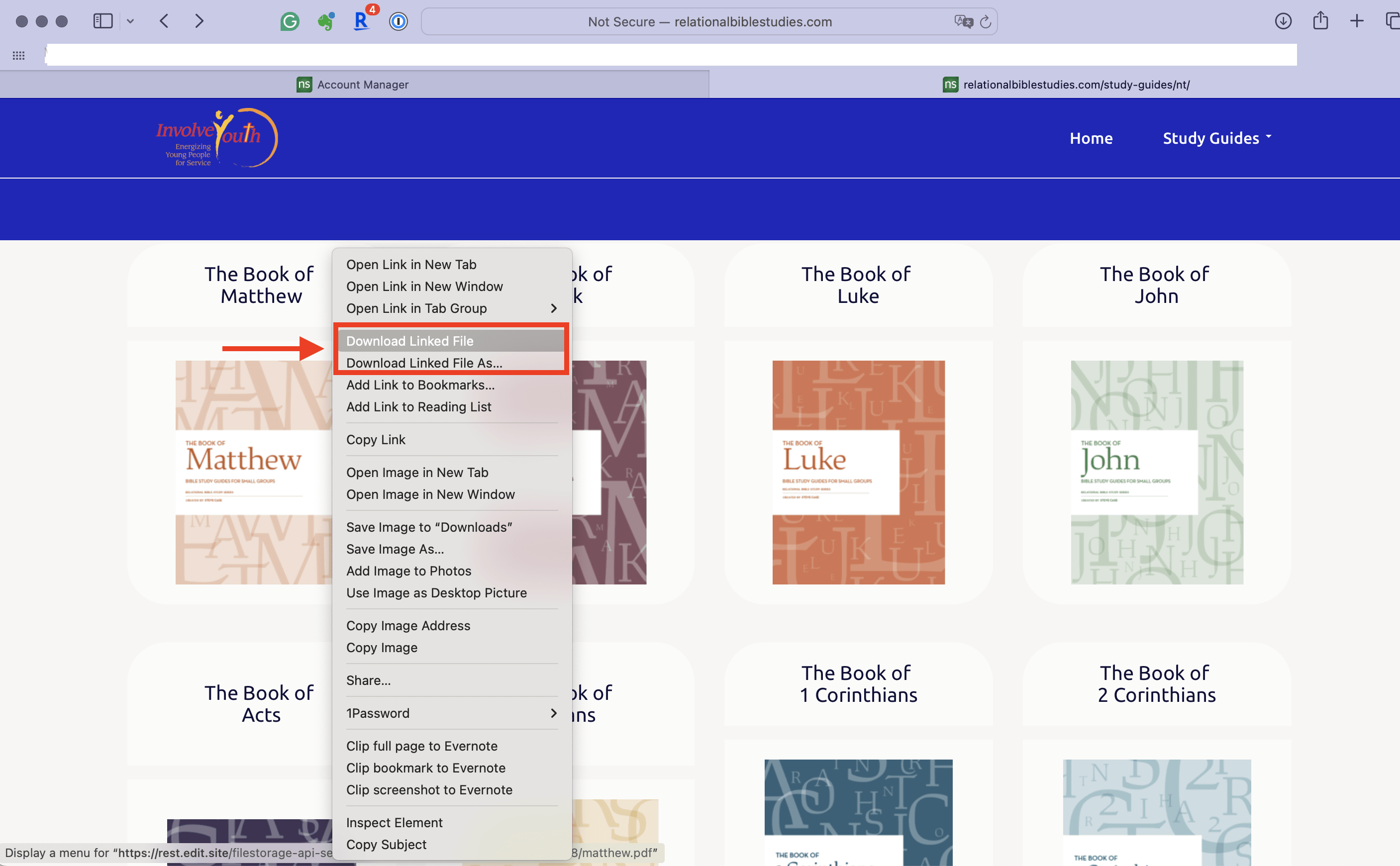
When you press the Control key + click on the mouse, a menu will pop up and you can select the download option you prefer.
Another way to download Control+Click on the Study Guide Cover and select - "Download Linked File" or "Download Linked File As..."

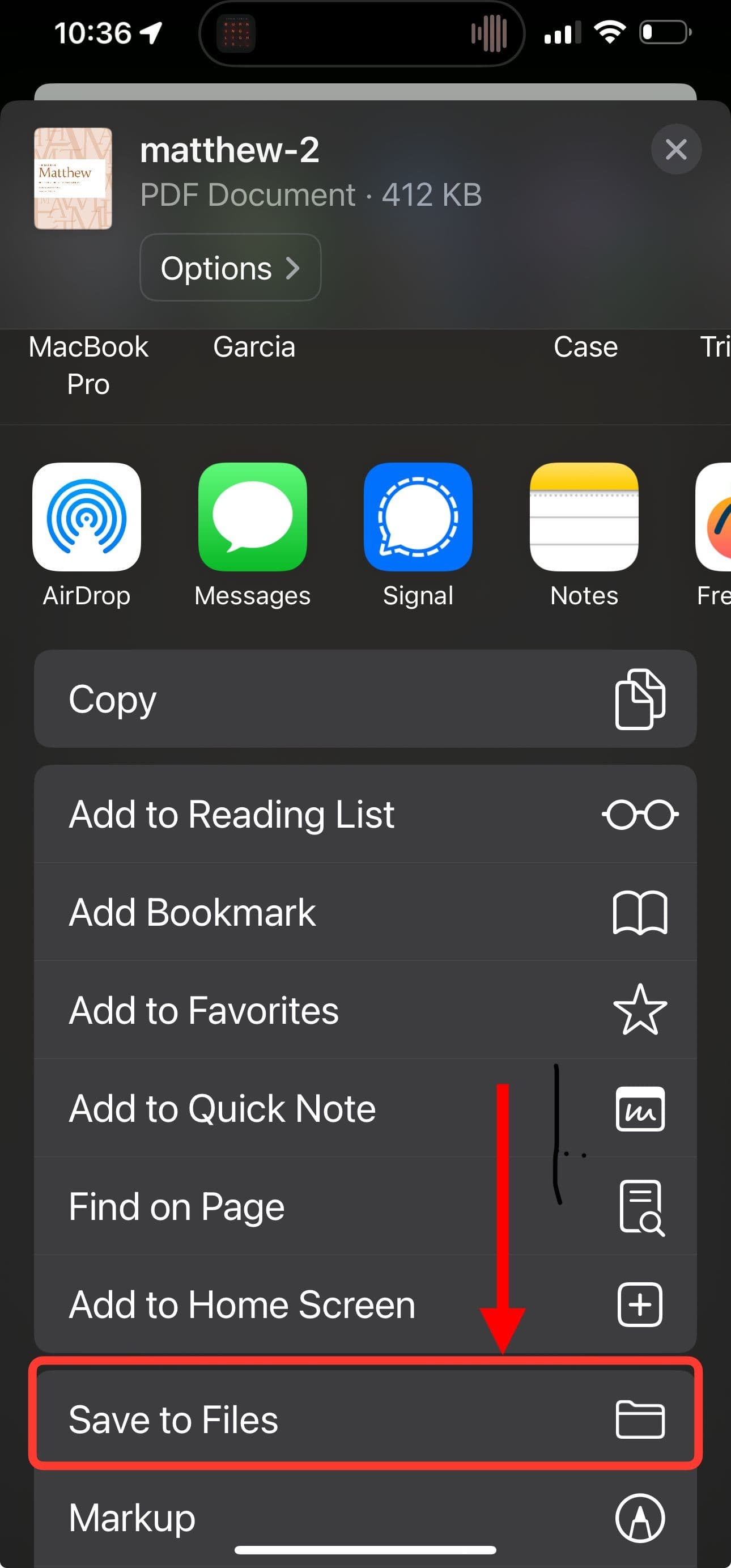
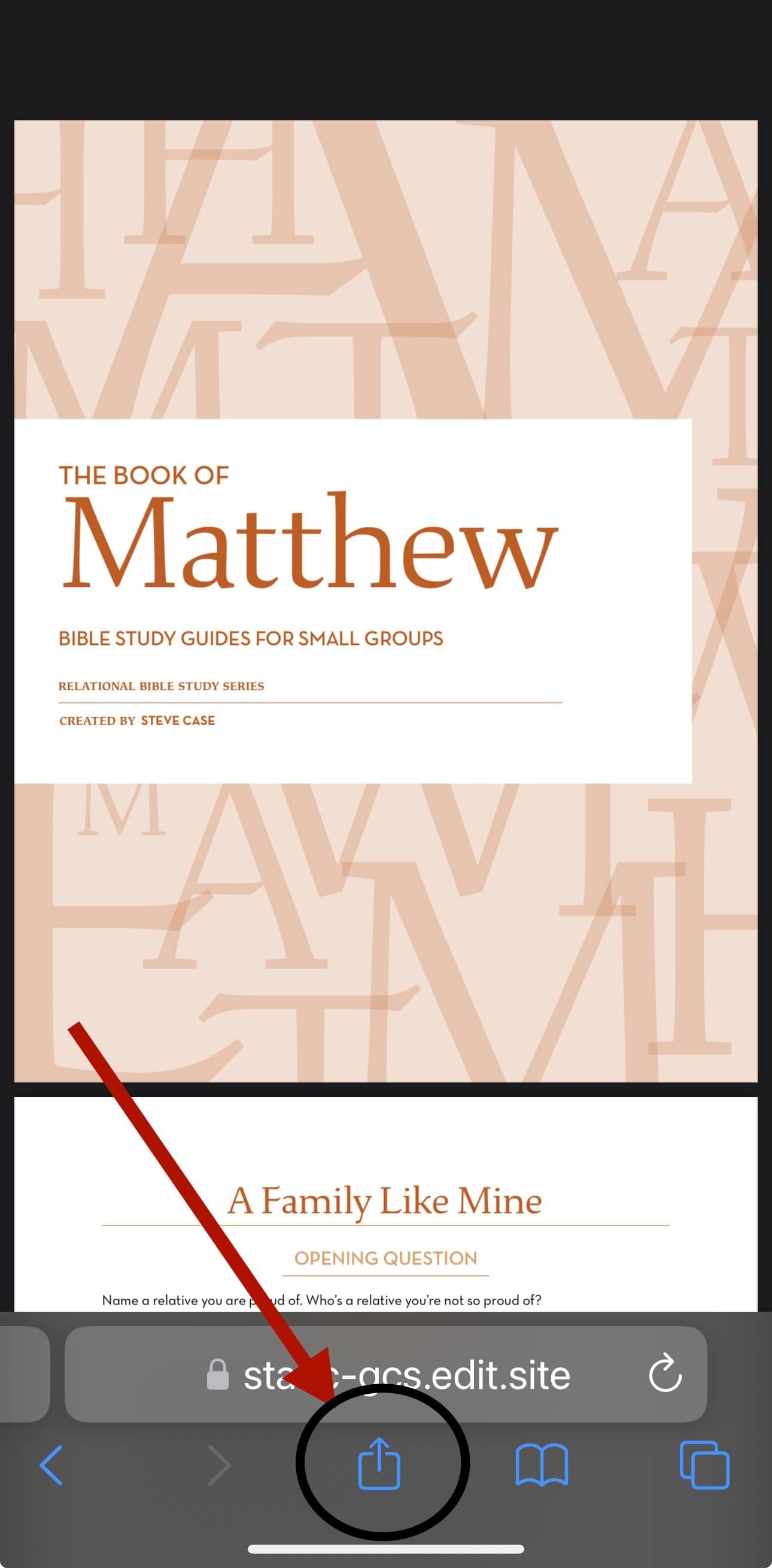
iPhone & iPad
image
image
PO Box 2024 Carmichael, CA 95609
(916) 961-2177
steve@involveyouth.org
image

We use cookies to enable essential functionality on our website and analyze website traffic. For more information, read our Cookies and Privacy Policy.

Your Cookie Settings

We use cookies to enable essential functionality on our website and analyze website traffic. For more information, read our Cookies and Privacy Policy below.

Cookie Categories
Essential

These cookies are strictly necessary to provide you with services available through our websites.

Analytics

These cookies collect information that is used in aggregate and in an anonymized form to help us understand how our website is being used and how effectively our site is performing.